Top AI Tools in 2026:- Look, if you’re still using the same AI tools from 2024, you’re already behind. The AI world has completely transformed in the past two years, and honestly? It’s been wild to watch.
I’ve spent the last few months testing dozens of AI platforms, and what I’ve found is that we’re not just talking about smarter chatbots anymore. We’re talking about AI that actually thinks before it responds, tools that can run your entire workflow on autopilot, and systems that are genuinely changing how businesses operate.
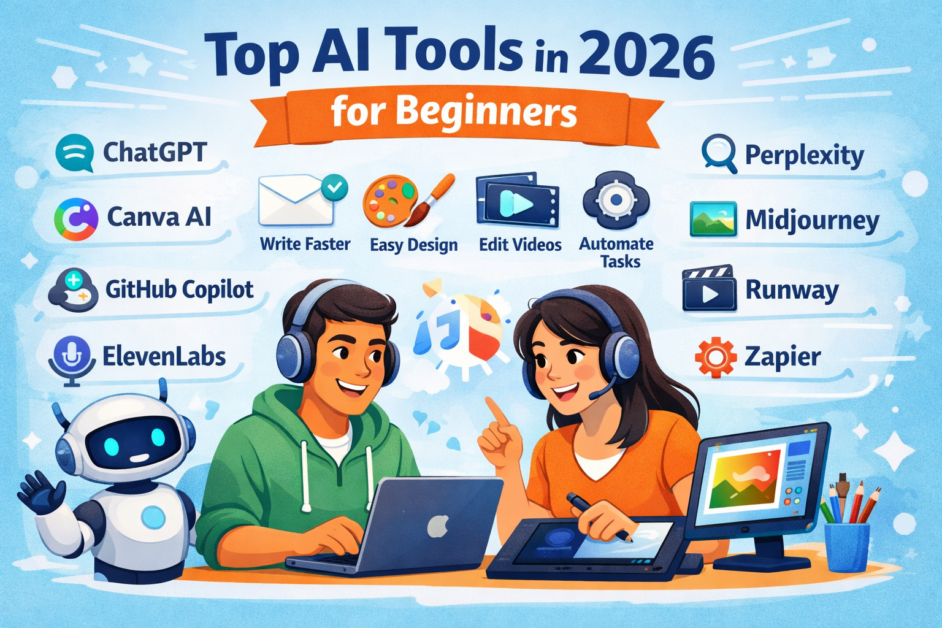
Here’s what’s really changed: AI tools aren’t just spitting out answers based on what they’ve seen before. The best ones now take their time to reason through problems, which means way fewer mistakes and much better results. Plus, these tools are starting to do things on their own – sending emails, updating your CRM, managing tasks – without you babysitting every step. Top AI Tools in 2026
Let me break down the tools that are actually worth your time in 2026.
The Heavy Hitters: AI Platforms Everyone’s Using
ChatGPT – Still the King (But for Good Reasons)
Yeah, I know – ChatGPT is the obvious choice. But here’s why it’s still dominating: those new o1 and o3 models are seriously impressive. They actually slow down and think through complex problems instead of just word-vomiting the first thing that comes to mind.
I’ve been using it for everything from writing code to solving tricky math problems, and the accuracy improvement is night and day compared to older versions. It’s especially killer for anything that needs logical, step-by-step thinking. The difference? It’s like the AI actually understands what you’re asking instead of just pattern-matching from its training data.
Best for: Complex problem-solving, coding, mathematical work, anything that needs multi-step reasoning
Claude – The Developer’s Secret Weapon
If you’re writing code or dealing with massive documents, Claude is your best friend. What makes it stand out is that huge context window – you can throw entire codebases or lengthy documents at it and it actually keeps track of everything.
I’ve watched development teams switch from ChatGPT to Claude specifically because it’s just better at understanding code structure and maintaining context across long conversations. When you’re reviewing a 200-page technical document or trying to debug a complex system, that matters a lot.
Best for: Software development, code review, analyzing long documents, technical writing
Google Gemini – The Multitasker
Gemini’s party trick is handling different types of data at once. Text, images, code – it processes all of it together, which opens up some interesting possibilities for data analysis and research projects.
The integration with Google Workspace is smooth too, so if you’re already living in Google’s ecosystem, it just makes sense. I’ve found it particularly useful when I need to analyze data across different formats or pull insights from multiple sources simultaneously.
Best for: Data analysis, research that involves multiple data types, Google Workspace users
Microsoft Copilot – The Office Power User’s Dream
If your life revolves around Excel, Word, and PowerPoint, Copilot is a game-changer. The Python integration in Excel alone is worth the price of admission – you can do seriously advanced data analysis without leaving your spreadsheet.
What I really appreciate is how it fits seamlessly into workflows you’re already using. You’re not learning a completely new tool; you’re just making the tools you already know way more powerful.
Best for: Microsoft 365 power users, data analysis in Excel, enterprise productivity
For Businesses: Tools That Actually Scale
TrueFoundry – Enterprise AI That Doesn’t Fall Apart
Here’s something most people don’t think about: running AI in a real business isn’t just about picking the right model. You need infrastructure that can handle deployment, version control, security, and scaling across teams.
TrueFoundry treats your AI systems like actual infrastructure instead of just API calls. That might sound boring, but if you’re trying to run AI in a serious enterprise environment, this approach saves you from a world of headaches. It’s the difference between having a few developers playing with AI and actually deploying it across your organization in a way that’s manageable and secure.
Best for: Enterprises deploying AI at scale, teams that need governance and lifecycle management
n8n – AI Automation for the Rest of Us
Not everyone has a team of developers, and that’s where n8n shines. It’s a low-code platform that lets you build custom AI workflows without writing mountains of code.
I’ve seen small business owners use this to automate everything from customer service to inventory management. The learning curve is way gentler than traditional coding, but you still get powerful automation capabilities. It’s democratizing AI in a real way.
Best for: Small to medium businesses, teams without extensive dev resources, workflow automation
For Developers: Next-Gen Coding Tools
Cursor – The Code Editor Built for AI from Day One
Most code editors just slapped AI features onto their existing products. Cursor did the opposite – they built the entire thing around AI from the ground up.
What does that mean in practice? Features like multi-file editing that actually understands the relationships between different parts of your codebase. The AI doesn’t just autocomplete; it understands context across your entire project. Developers I’ve talked to say they’re coding noticeably faster, especially on complex projects where you’re juggling multiple files.
Best for: Professional developers, complex multi-file projects, anyone serious about coding with AI
Content Creation: Writing and Visual Tools
NotebookLM – Making Research Actually Usable
This tool does something genuinely unique: it takes your research documents and turns them into conversations. Sounds weird, but it’s incredibly useful.
I’ve used it to transform dense academic papers into digestible dialogues, which is perfect when you need to explain complex topics to people who aren’t experts. The audio synthesis feature is surprisingly good too – great for creating educational content or making your research more accessible.
Best for: Researchers, educators, content creators working with complex source material
HeyGen – Video Content at Scale
Want to create video content for 15 different markets without hiring 15 different production teams? That’s HeyGen’s whole thing.
The AI avatars are convincing enough for professional use, and the localization features mean you can create content in multiple languages without starting from scratch each time. I’ve seen marketing teams cut their video production costs by something like 70% using this platform.
Best for: Marketing teams, global companies, training and education content
Midjourney – When Image Quality Actually Matters
If you need images that look professional, Midjourney is still the gold standard. The quality is just consistently better than the alternatives.
I know there are cheaper and faster options out there, but when you’re creating marketing materials or anything client-facing, the quality difference is noticeable. Design teams and creative agencies are still choosing Midjourney for a reason.
Best for: Professional designers, marketing departments, anyone who needs high-quality visuals
Research and Information Tools
Perplexity – Google, But It Actually Explains Things
Think of Perplexity as a research assistant that actually cites its sources. Instead of getting a list of links to sort through, you get a synthesized answer with references so you can verify everything.
I use this constantly for staying current in fast-moving fields. It’s particularly good at pulling information from recent sources and giving you a clear, verified summary. Journalists and analysts are all over this tool because it cuts research time dramatically.
Best for: Research, staying current with industry trends, fact-checking and verification
Enterprise Infrastructure (The Boring But Important Stuff)
AI Gateways: Portkey and Friends
Okay, this is getting into the weeds, but if you’re running AI in production, you need infrastructure to manage it. Portkey and similar AI gateways help you route requests, monitor performance, and maintain governance across your AI systems.
It’s not sexy, but it’s necessary. As companies put AI into customer-facing workflows, having proper monitoring and control becomes critical. Think of it like having a proper database setup instead of just using spreadsheets – it matters at scale.
Best for: Enterprises with customer-facing AI, companies needing governance and monitoring
Customer Service AI: The New Generation
The conversational AI space has gotten crowded, with tons of platforms offering similar features. But a few have found ways to stand out:
Decagon lets you write instructions for AI agents in plain English, which sounds simple but makes a huge difference in how customizable the system is. Instead of wrestling with technical configurations, your customer service experts can directly guide how the AI behaves.
Sierra went with outcome-based pricing, which is refreshing. They only get paid when you get results. It’s a big shift from the typical SaaS model where you pay regardless of performance.
Kore.ai focuses on governance, which matters a lot when you’re deploying multiple AI agents across an organization. Someone needs to make sure all these AI systems are playing by the same rules.
Best for: Customer service teams, enterprises with complex support needs, companies needing AI governance
Free Options Worth Checking Out
Not ready to drop serious money on AI tools? Several platforms offer solid free tiers:
- Google Gemini has generous free usage limits
- Many conversational AI platforms offer free trials with basic functionality
- Most of the major players let you test before committing to paid plans
These free tiers are actually useful – not just gimped versions of the real product. Great for testing the waters or for small-scale personal projects.
How to Actually Choose the Right Tools
Top AI Tools in 2026- Here’s the thing: you probably don’t need just one AI tool. You need a stack that works together.
The companies doing AI well aren’t picking a single platform and calling it done. They’re combining specialized tools that each do one thing really well. Maybe ChatGPT for reasoning tasks, Claude for code review, HeyGen for video, and Perplexity for research.
When you’re evaluating tools, think about:
- How well does it integrate with what you’re already using?
- Can it scale with your needs?
- Do you have proper governance and security?
- Does it actually solve your specific problem?
Don’t just chase the shiniest new tool. Think about what fits your workflow and your team.
The Bottom Line
We’re still in the early days of this AI revolution, even in 2026. New tools and capabilities are dropping constantly, and what’s cutting-edge today might be standard tomorrow.
The winners aren’t going to be the companies that picked the “perfect” AI tool – they’re going to be the ones that stayed flexible and kept adapting as things changed.
These tools I’ve covered aren’t just hype. They’re genuinely changing how work gets done, from solo freelancers to massive enterprises. The question isn’t whether to use AI anymore – it’s which tools fit your specific needs and how you combine them into something that actually works for you.